
How to register/change your Alert E-mail Adress.
STEP1
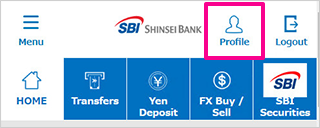
Please login to PowerDirect and tap "Profile".
STEP2
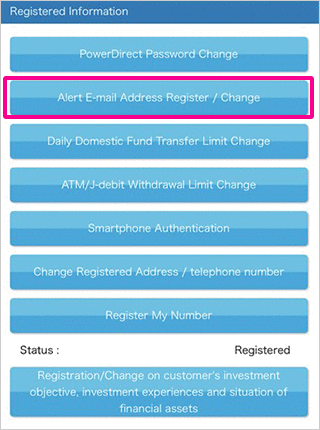
Please tap "Alert E-mail Address Register / Change".
STEP3
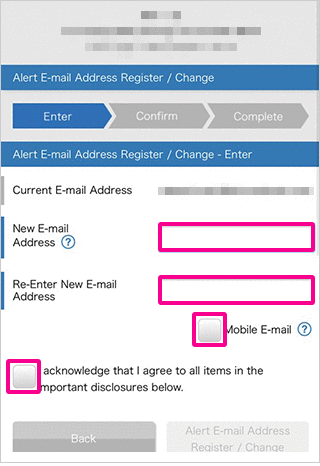
Please enter your E-mail address to "New E-mail Address" and "Re-Enter" field, and please tick "I acknowledge that I agree to all items in the important disclosures below."
Please click "Alert E-mail Address Register/Change" after confirmed your new E-mail address is correct.
(* If you will be received E-mail to your mobile phones/smartphones, please tick "Mobile E-mail" below the re-enter field.
STEP4
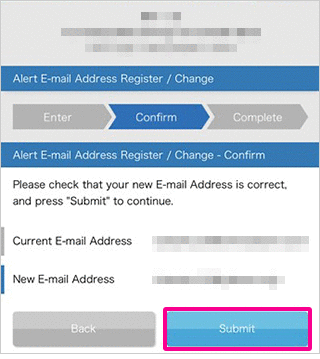
Please confirm again and tap "Submit".
STEP5
Please complete identity verification using one of the following methods: Smartphone Authentication, Telephone Authentication, or SMS Authentication.
For details on the authentication methods, please click here.
- Please note that prior registration is required to use Smartphone Authentication.
Smartphone Authentication is available in Japanese only.
For information on how to register, please click here.
STEP6
Change your Alert E-mail Address is completed.

 Close
Close